Models and Pricing
AIonRouter uses fully transparent, pay-as-you-go billing. Prices, billing types, discounts, and compatible endpoints for all available models are published in real time in the Model Square.
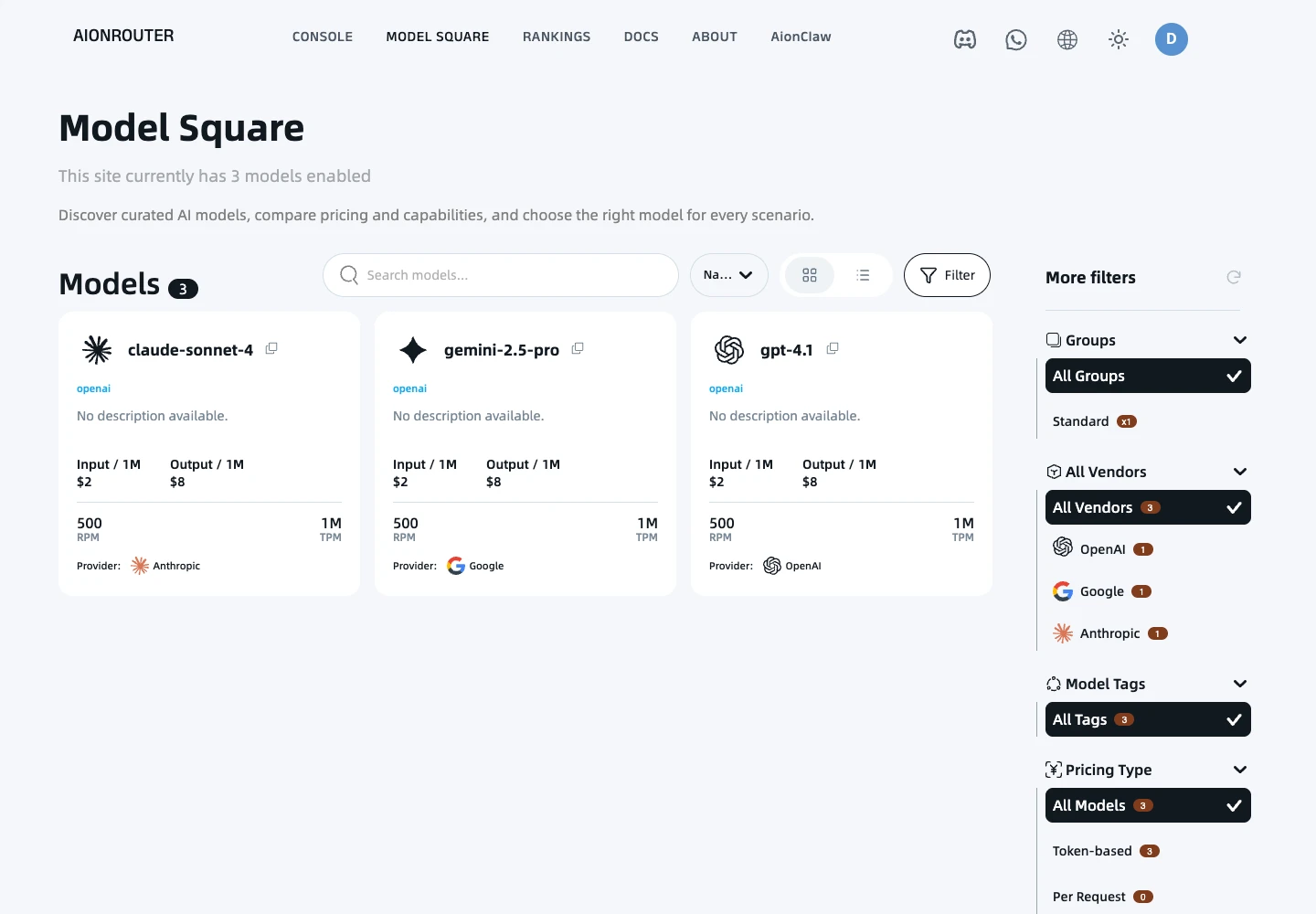
I. How to read model prices
In the Model Square, you can easily understand the billing details for each model:
1. Billing types
Models on the platform mainly use the following two billing methods:
- Usage-based billing (most common): Charges are based on the number of tokens consumed by your input (Prompt) and output (Completion). Prices are usually shown per million tokens (/ 1M Tokens). Click “Switch to 1K pricing” in the upper right to view prices per thousand tokens.
- Per-request billing: Some multimodal, tool-oriented, or specialized models (such as doubao-seedream-4-5-251128) charge a fixed amount per request. Each call deducts a fixed number of credits, regardless of the amount of input or output.
2. Cache billing rules (Context Caching)
To help users minimize the cost of processing long text, such as large codebases and long document conversations, AIonRouter provides detailed cache billing for models that support caching, such as the Deepseek and Gemini families:
- Input: The standard price for prompt tokens that do not hit the cache.
- Read Cache / Cache Hit: A very low price when the cache is hit, usually around 10% of the standard input unit price.
- Write Cache / Cache Creation: The price for writing a large text to the cache for the first time.
II. Usage-based billing formula
When you call a model with usage-based billing, the credits deducted for a single call are calculated as follows:
Actual usage = Number of tokens ÷ 1,000,000 × Applicable unit price
Tip: After a successful API call, the charge is deducted from your account balance within seconds based on the actual token usage returned by the upstream provider. *
III. Cost optimization tips
- **Choose models according to your needs
- Use Context Caching: In development tools such as Claude Code or Cline, keep the structure of the first part of your Prompt (such as system instructions and core code definitions) as stable as possible. This helps you hit the cache frequently and save up to 90% on input costs.
- Set per-request quota limits: When creating API Keys, assign separate maximum quotas to keys used for development, testing, and other purposes to prevent unexpected overspending caused by infinite loops or abnormal calls.