Key management
API keys are credentials for API calls. Each key can have its own permission scope and quota limit. Click “API Keys” in the left navigation.
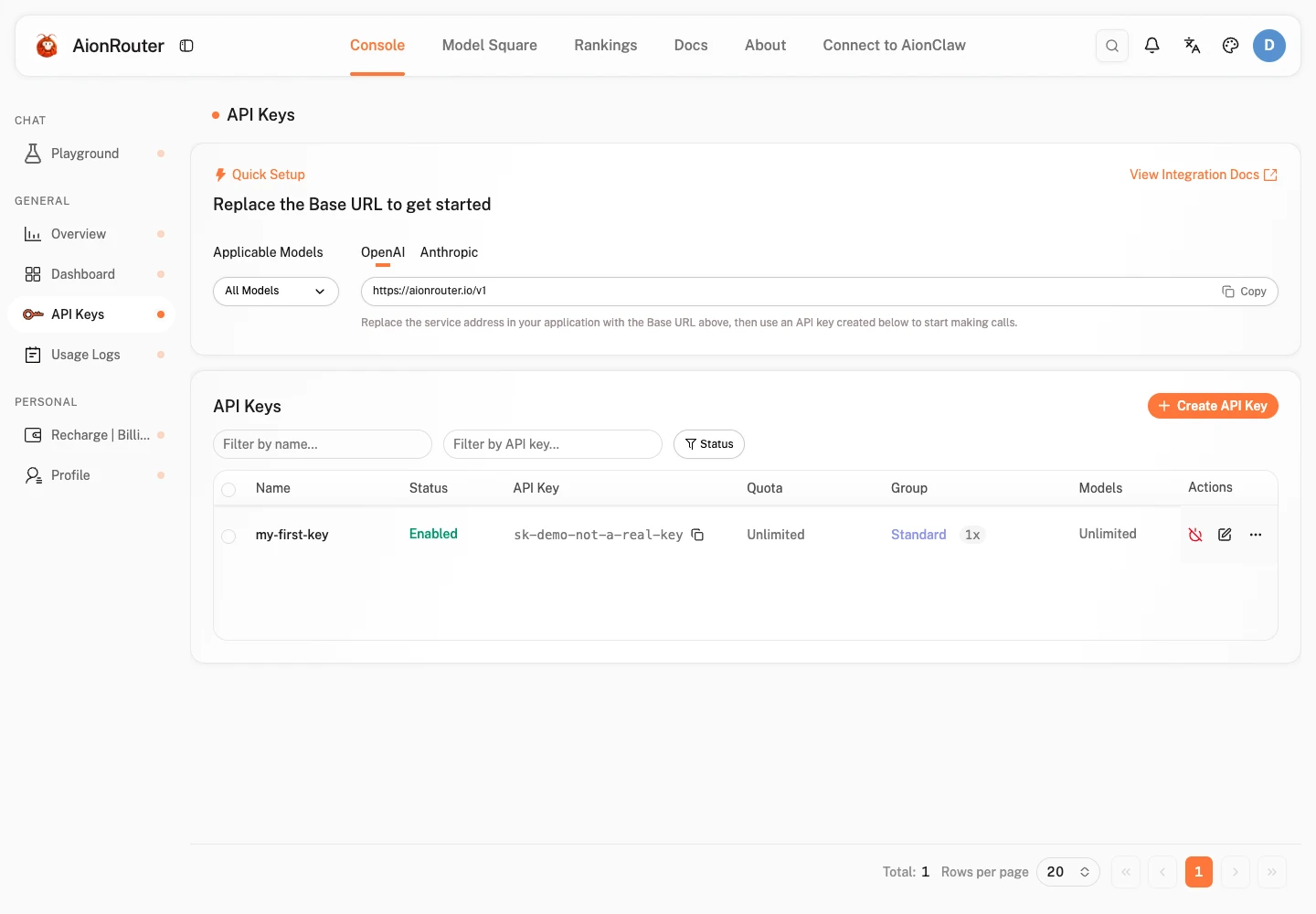
The list shows all created keys, including their names, status, used quota, remaining quota, expiration time, and other information.
Create a key
Basic key configuration
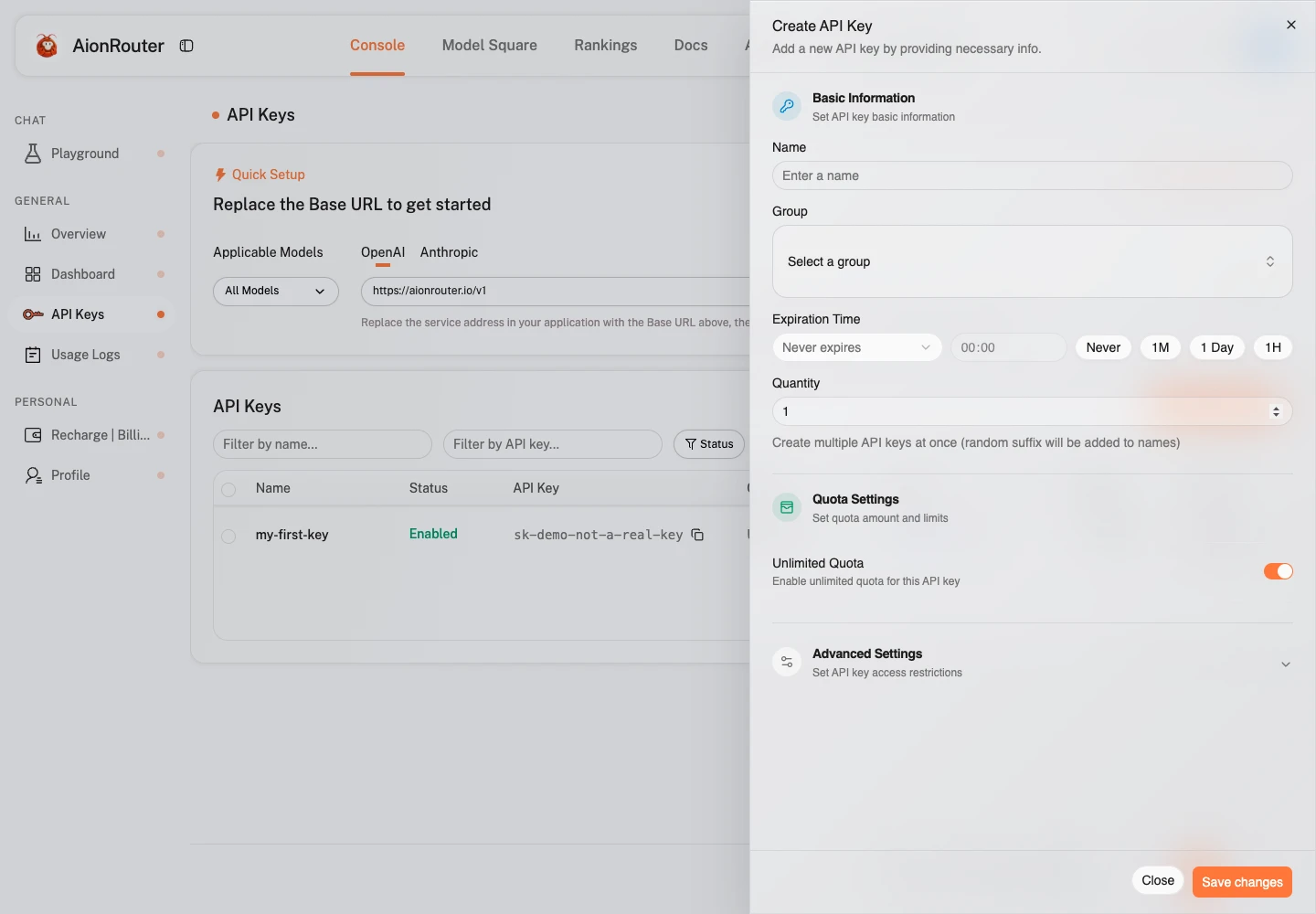
- On the key list page, click “Create API Key” in the upper-right corner to open the creation dialog.
- Enter a key name (name it by purpose, such as “Production” or “Testing”).
Advanced key configuration options
Configure the following options as needed:
| Configuration item | Description |
|---|---|
| Expiration time | Set the validity period; leave blank or enter -1 for no expiration. |
| Key quota settings | Limit the maximum quota this key can consume; it becomes invalid automatically when the limit is exceeded. |
| Unlimited key quota | When enabled, the key has no quota limit (the account's total quota still applies). |
| Key model restrictions | Restrict the key to specified models; leave blank for no restrictions. |
| IP allowlist | Restrict the source IP addresses allowed to use this key; leave blank for no restrictions. |
| Key group | Specify the channel group used by this key. |
Save the key
Click “Submit”. The key is masked by default; click copy if you need to view it.
The key grants full API access. Do not disclose it to others or commit it to a code repository.
Edit a key
Find the key in the list and click “Edit” on the right to modify its configuration options (the key itself cannot be changed).
Disable/enable a key
Find the key in the list; keys are enabled by default. Click “Disable” and confirm to immediately invalidate the key and suspend model calls.
Delete a key
Find the key in the list and click “Delete” on the right. After confirmation, the key becomes invalid immediately and cannot be recovered.